 StarSiftaccount
Settings at the bottom of the sidebar. Changes are saved as you make them.
General
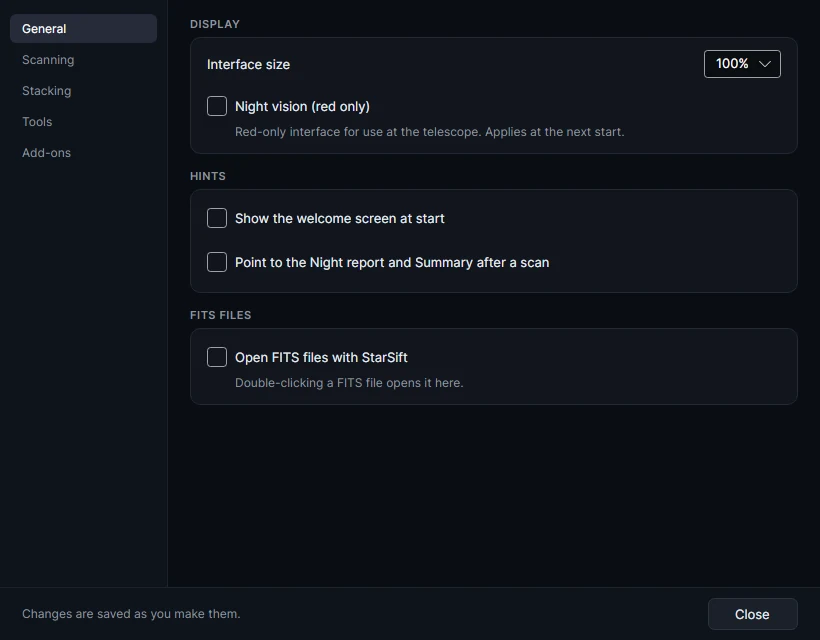
| Setting | What it does |
|---|---|
| Interface size | Makes everything larger or smaller. |
| Night vision (red only) | A red interface for the telescope; applies at the next start. Night in the sidebar switches it too. |
| Show the welcome screen at start | The tour of what StarSift does. |
| Point to the Night report and Summary after a scan | A hint after each scan. |
| Open FITS files with StarSift | Double-clicking a FITS file opens it in StarSift. |
Scanning
| Setting | What it does |
|---|---|
| Load every stored scan at start | Off: a folder's stored scans load when you open it. |
| Remove frames no longer on disk / Forget all stored scans | Tidy the database of measured frames. |
| Filters in the wheel's slots | For frames whose FILTER says only the slot ("1", "Filter 2"), so the workflows know which filters a target has. |
| Shortest good night | For the next good night shown above a night's frames: the darkness, altitude and Moon a night needs. |
Stacking
Recent temporary stacks to keep (12 by default), and the Temporary files folder: a big GPU stack can need tens of gigabytes there while it runs, so choose a disk with room.
Tools
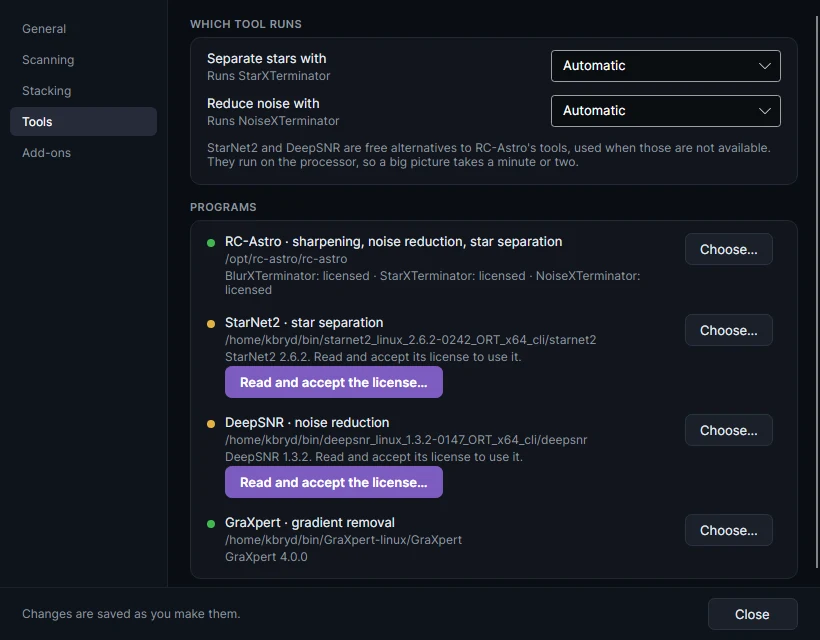
Which tool runs for star separation and noise reduction: Automatic uses RC-Astro's StarXTerminator and NoiseXTerminator when they are installed and licensed, then StarNet2 and DeepSNR, then StarSift's own. Sharpening uses BlurXTerminator when it is there, else StarSift's own deconvolution.
Programs lists each external tool, where it was found and whether it is licensed: RC-Astro (sharpening, noise reduction, star separation), StarNet2, DeepSNR and GraXpert (gradient removal). Choose… points to a program installed somewhere else. StarNet2 and DeepSNR ask you to read and accept their license once.
Add-ons
Add-ons add workflow steps, editor tools, screening rules and pixel routines, written as small scripts. Developer mode loads add-ons from folders while you write them. Load the examples loads the two that ship with StarSift (hot-pixels and moon-distance), and Open their folder shows their scripts to start from.
Your account
StarSift asks you to sign in with your DeepSkyLog account, which registers the computer and activates the app; the bottom bar shows whether you are signed in. Until then you can look through results the app has already stored. Beta testers can ask for more time at this portal.
Send feedback in the bottom bar describes a problem or an idea to us, with a screenshot and the logs if you agree.