 StarSiftaccount
Night report
Report sums up the night of the frames on screen: what you kept, what was lost and why, and how the stars changed through the night.
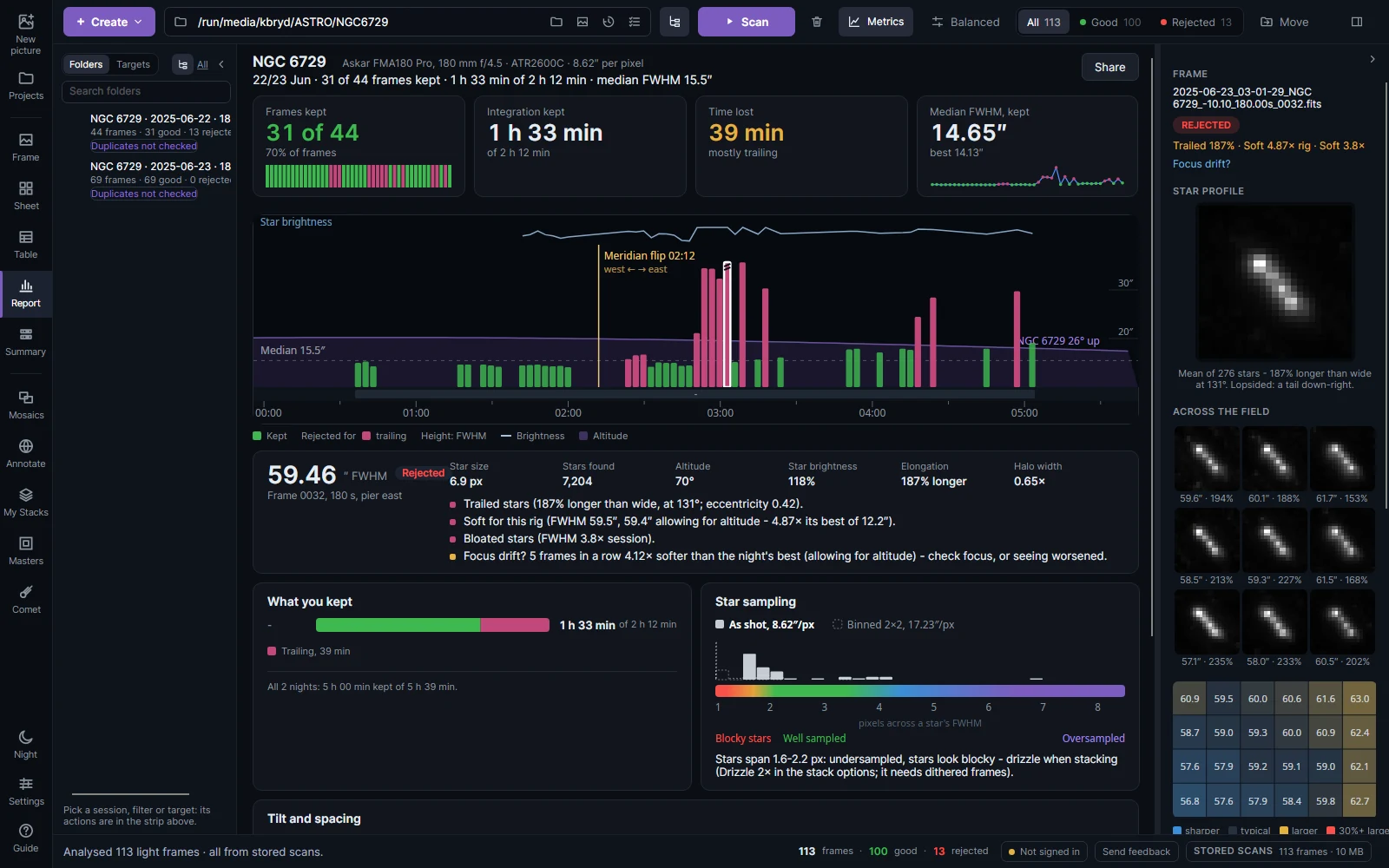
The cards at the top give the frames kept, the integration kept, the time lost and the median star size. The chart has a bar per frame in time order: its height is the star size (FWHM), its color green when kept or the reason it was lost; the line is the stars' brightness (dips are cloud or haze) and the shaded curve the target's altitude. The background shades with the sky's darkness, from the Sun's position at your site. Click a bar, or use ← and →, to read that frame below the chart; double-click or Enter opens it.
What you kept splits the exposure into kept and lost by reason. Star sampling shows how many pixels a star's FWHM spans, frame by frame: under about 2 the stars look blocky, and drizzle (if you dithered) would sharpen them. Share makes the report an image or text for a forum post.
Tilt and spacing
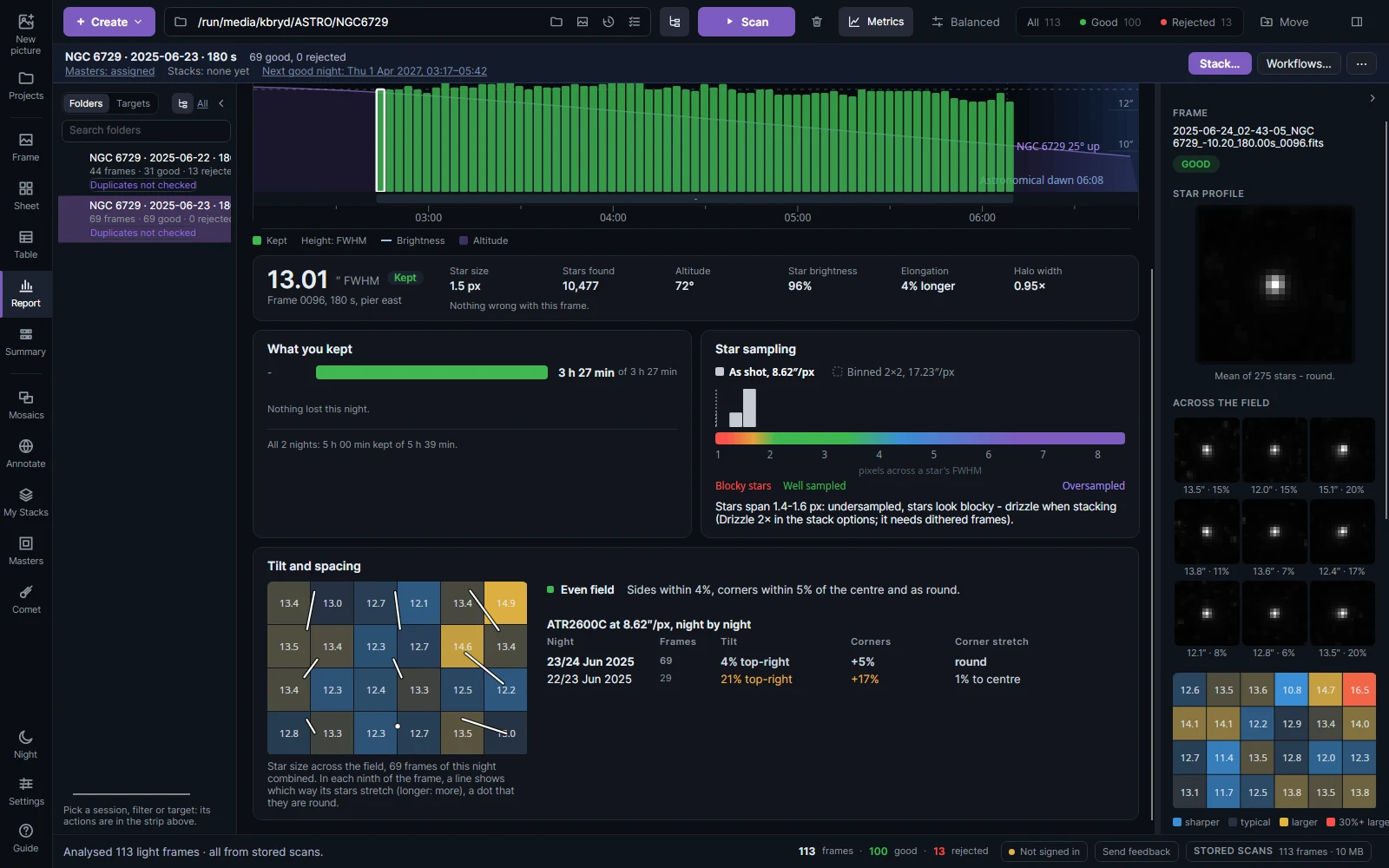
The night's frames are combined into one map of star size across the field: each cell is a part of the frame, colored against the median, with a line showing which way its stars stretch (a dot where they are round). The notes beside it say what the map shows and what to do:
| Note | What it means |
|---|---|
| Tilt | Stars larger on one side: the sensor is not square to the light. Check for sag or a loose adapter, or adjust the tilt plate. |
| Soft corners | Corner stars larger than the centre's: the flattener's or reducer's backfocus is off, or the scope's own field curvature. |
| Soft centre | The other way round: backfocus, or focus found on stars away from the centre. |
| Stretched corners | Corner stars elongated towards the centre or sideways: change the corrector spacing by 0.5–1 mm and compare the next night. |
| Same stretch everywhere | Guiding or wind, not the optics. |
| Even field | Tilt and spacing look right. |
The table below lists the same camera at the same pixel scale night by night, so you can see whether a change to the tilt plate or the spacing helped.
Summary
Summary shows what could be moved out of the folders and how much space it frees.
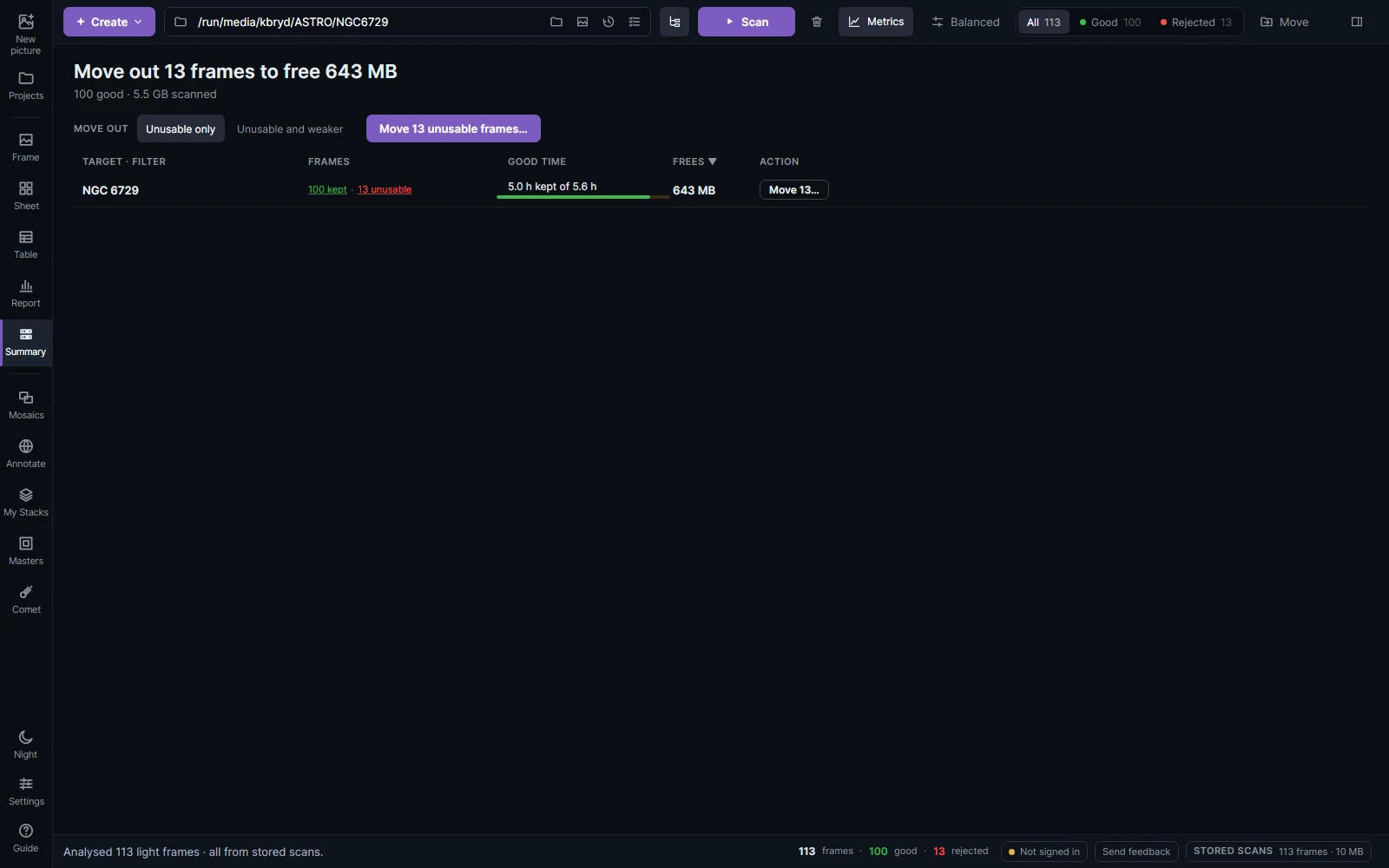
Rejected frames are of two kinds. Unusable ones (no or few stars, trailed or double stars, heavy cloud, or rejected by you) only hurt a stack. Weaker ones (soft stars, bright sky, low altitude, light haze) still help a weighted stack, so keep them when a target is short of good data. Choose Unusable only or Unusable and weaker, then Move… frames puts them into a rejected folder beside them or a folder you choose. Nothing is deleted.