 StarSiftaccount
A comet moves against the stars during the night, so a stack on the stars smears the comet and a stack on the comet trails the stars. StarSift makes both: the comet stacked sharp on itself with the stars left out, and the stars stacked with the comet taken away, on the same pixels.
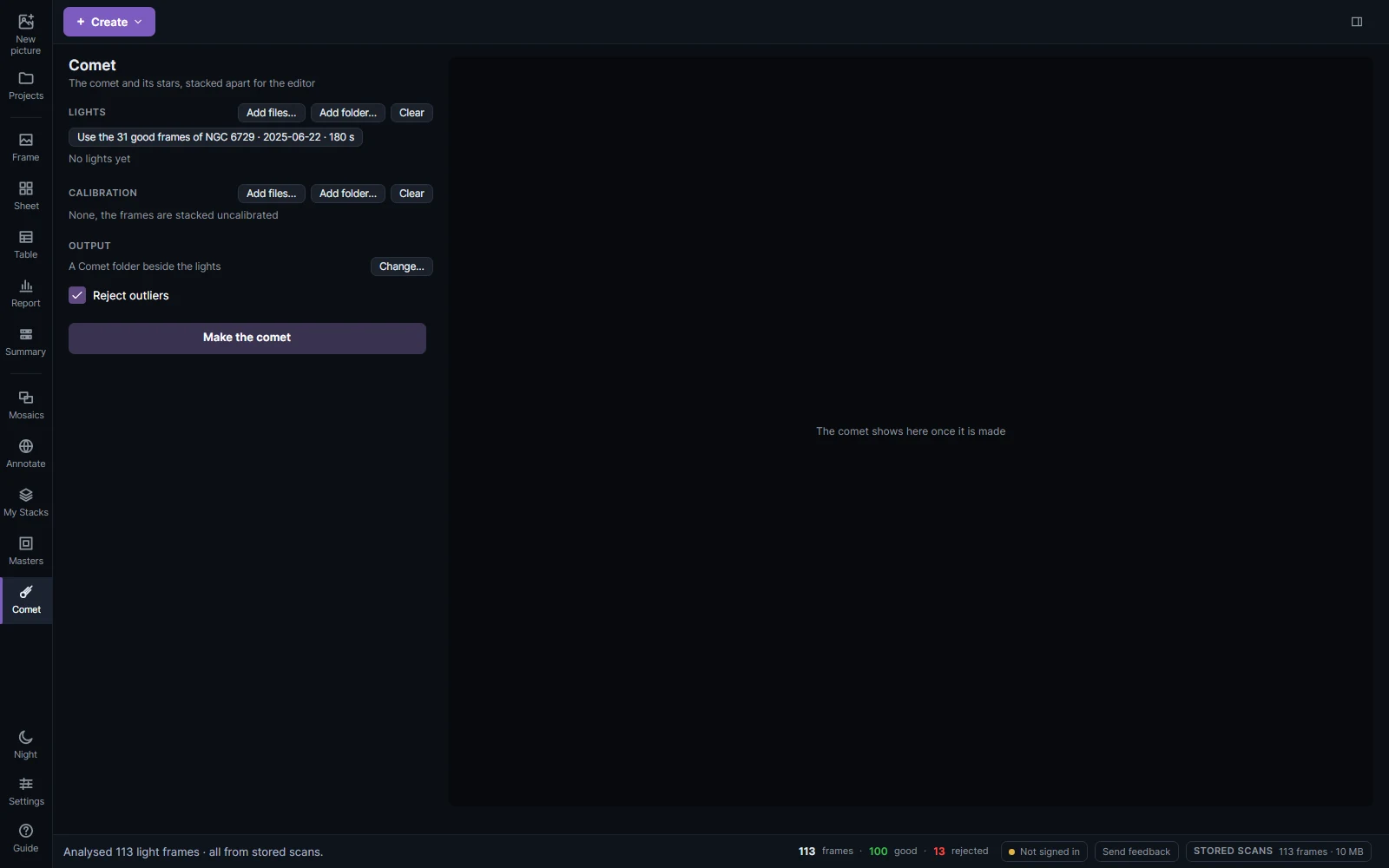
Making a comet picture
Click Comet in the sidebar.
| Section | What to give it |
|---|---|
| Lights | From scans… lists every night you scanned, comets and the latest first, with a search (target, night, camera or folder). Tick a night to take its frames, every filter of it; click a filter to leave it out. All the frames are taken unless you switch to Good only (a comet low over the horizon rarely makes many good frames). Or Files… and Folder… (every FITS or XISF light in it and its subfolders). Each filter then shows its frames, their times and the masters it gets; Calibration… on its row gives it files of its own. |
| Calibration | Files… or Folder… of masters or raw darks, flats, dark flats and bias: each filter gets a flat of its filter and the dark nearest its exposure. |
| Output | Where the masters, each filter's two stacks and the two pictures go: a Comet folder beside the lights unless you Change… it. |
| Reject outliers | Removes satellite trails, cosmic rays and hot pixels. |
| Stronger trail rejection | Enabled by default. Rejects fainter transient bright pixels in short sequences, in both the comet and star stacks. Clear it to use standard rejection. It is available while Reject outliers is enabled. |
Make the comet finds the comet in the frames by itself; there is nothing to mark by hand. The result opens in the editor with the comet as the picture and its stars as a layer over it, both linear, to stretch apart and then merge.
The stack dialog can do the same for any night: tick Comet: also stack on the comet.
Stronger trail rejection is also offered under that checkbox in the stack dialog. It tightens the bright-outlier cut without tightening the dark-outlier cut, and includes the separate three-exposure test. The comet is aligned on itself before rejection, so its persistent coma and tail are combined in the same place; the stars are rejected only after that comet model is taken away. Pixels covered by fewer than three usable exposures still have too little information for reliable temporal rejection. Repeated trails affecting most of the available exposures can also remain.
The result notes identify stronger or standard rejection. On the Comet page, the individual comet and star stack files record the choice in SQCREJ (STRONG, STANDARD or NONE). Existing stacks need to be made again to use a different rejection setting. Animation export continues to use the individual observed exposures.
Star masks and missing pixels
If the comet moves only a short distance, a bright star can cover the same part of the comet in every exposure. Those pixels have no measured comet signal. StarSift fills enclosed holes with a smooth continuation from their edges, without changing the observed pixels or extending the image borders. This avoids the striped cross patterns produced by the older fill. These areas can still look smoother under a strong stretch: interpolation cannot recover texture that was hidden in every exposure. The result notes report the number of interpolated pixels for each filter; the individual comet stacks also record it in SQCFILL.
Previously generated stacks need to be made again to use the improved fill.
Making a time-lapse
After Make the comet finishes, choose Create animation…. The animation uses the actual calibrated exposures aligned on their stars, with the comet moving through them. It keeps changes in the comet's appearance and does not move a single stacked picture along a simulated path.
Choose a Sequence and Exposure range, then Create preview. A colour camera stays in colour. Separate filters are animated individually, with L selected initially when available, so alternating L, R, G and B captures do not cause colour flicker.
- Noise reduction averages 1–10 consecutive exposures per animation frame. More exposures reduce noise but give fewer motion samples and can blur the comet's motion within a group. The last group can contain fewer exposures.
- Long side limits the output size to 720, 1280 or 1920 pixels, without enlargement. Every frame uses the same crop, containing only pixels covered by all selected exposures.
- Shared stretch sets one stretch for the whole sequence. Calibration, sky and transparency matching and colour balance are reused from the star alignment.
- Play, the timeline and Frames/s control playback. UTC timestamp adds the observation midpoint, or the mean midpoint of an averaged group, to the preview and exported frames.
Playback gives every animation frame the same duration. Gaps between observations are compressed rather than held on screen; the UTC timestamps show the actual observing times.
Export PNG frames… writes a new folder with numbered pictures, a frames.csv UTC timeline and playback information. Export MP4… uses an installed FFmpeg with H.264 encoding support. StarSift finds FFmpeg beside the application or on the system path; Choose FFmpeg… selects its executable manually. PNG export works without it. Cancelling an export removes its incomplete output and preserves any previous video.
The animation source measurements are available while the finished result remains on the Comet page. Opening an older saved editor picture alone does not supply the individual exposures; make the comet from its lights to prepare an animation.